Speak Tasks, Plan Your Day

Say it before
it slips away.

Speak the task the moment it hits you. Wispr writes it down, times it, and slots it into your day — add the finer details whenever you're ready.

  • Speak naturallyUse the words already in your head.
  • See your dayEvery task lands with a time attached.
  • Keep movingNo project, no setup, no delay.
Wispr Tasks welcome screen: “Just say it. Wispr Tasks writes it down.”

From words to a plan you can trust

“Call the dentist tomorrow morning”

Tomorrow · 9:00 AM · Health

“Send the Q3 notes to Sam at seven”

Today · 7:00 PM · Work

“Book the flights before Friday”

Deadline · Friday · Travel

Wispr Tasks new task sheet with the spoken title and autofilled details.

Capture

Speak it.
Wispr fills in the rest.

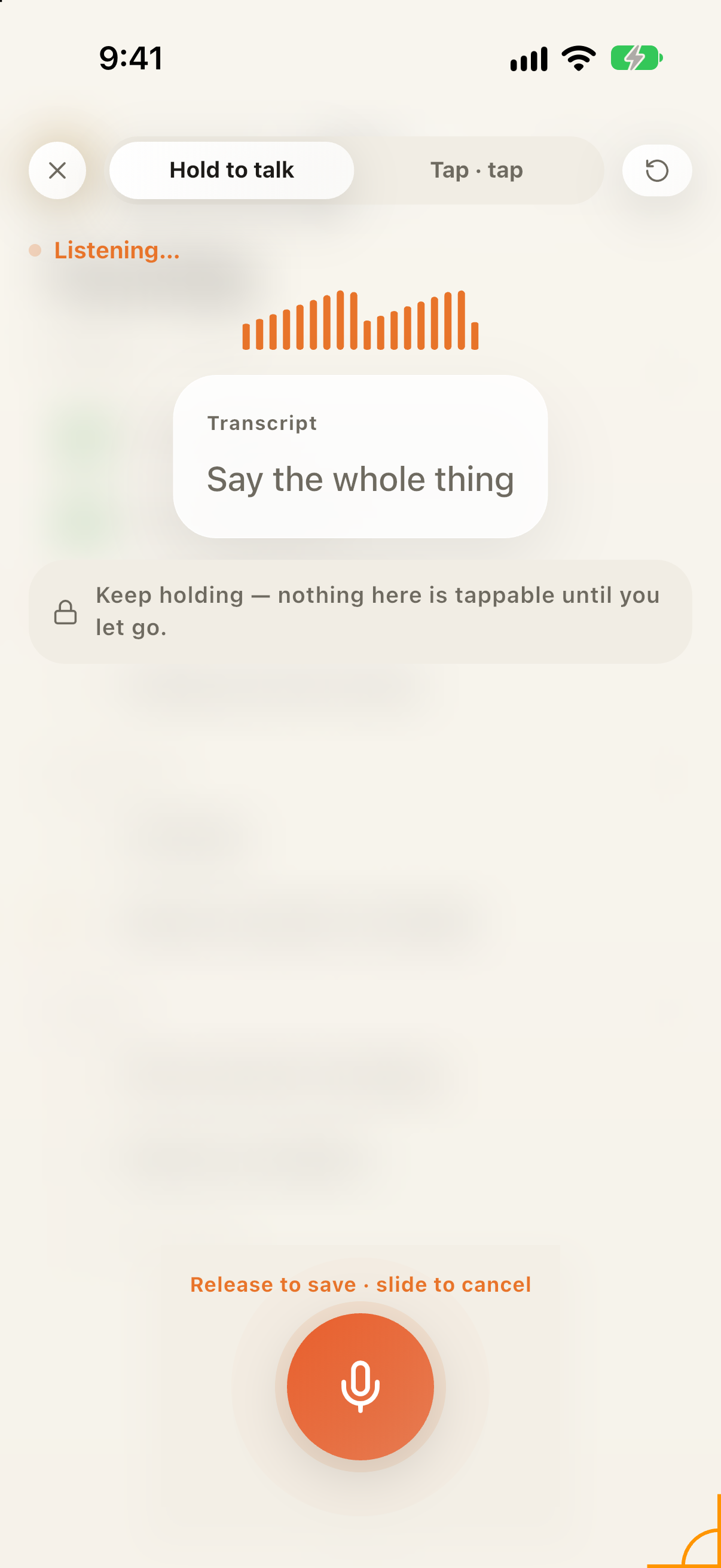
Tap the mic and just talk. Wispr transcribes what you said and picks out a date, time, and category on its own. Skim the suggestions, fix anything that's off, save.

  • A title alone is enough to save a task
  • Dates, times, and categories come straight from what you said
  • Edit anything before it's final

Plan

See what actually
fits today.

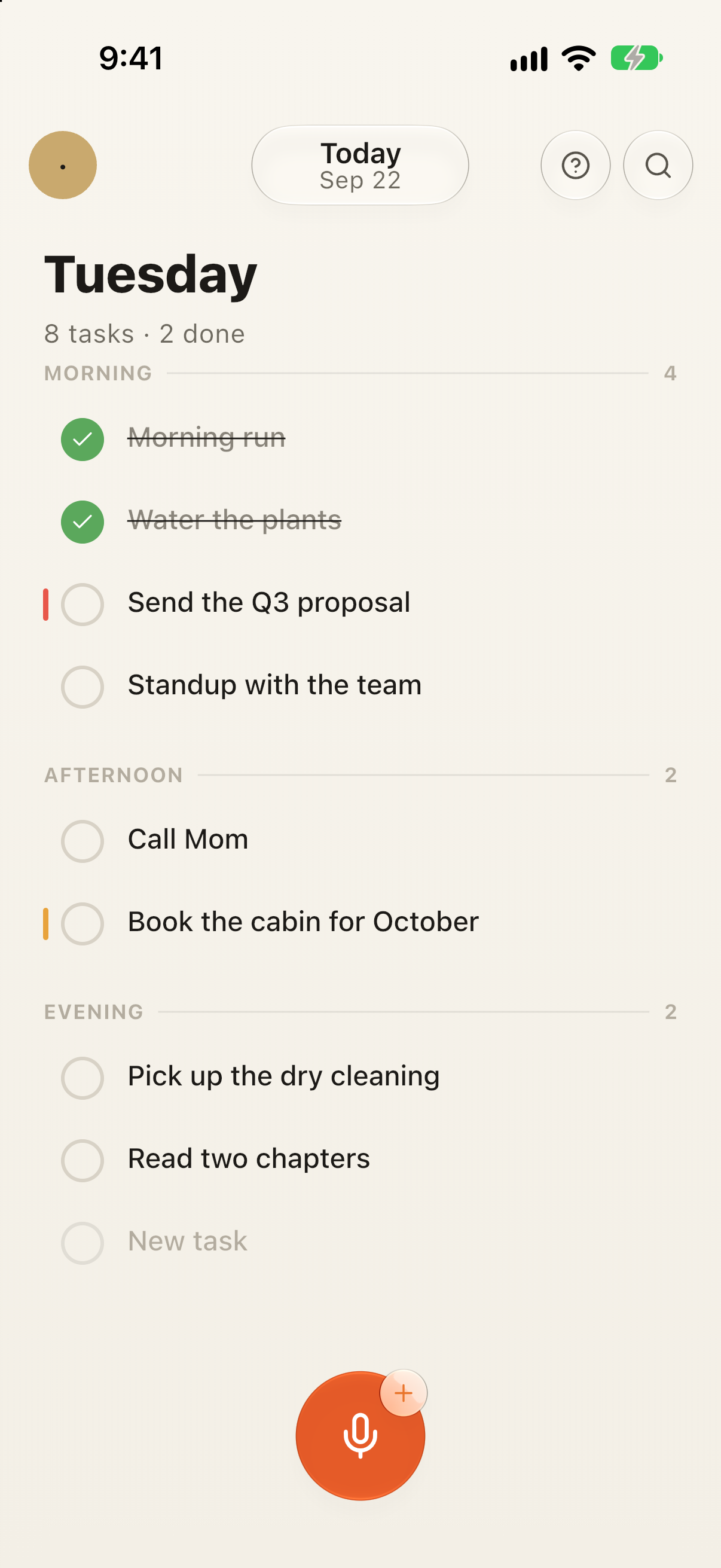
Tasks sort themselves into morning, afternoon, and evening, with a running count of what's left. Swipe to another day, check things off, or push back anything that stopped making sense.

  • Swipe through today, tomorrow, and later
  • Time, category, and reminder travel with every task
  • Reschedule what's unfinished — no overdue score, no guilt
Wispr Tasks day view grouped by Morning with the ember mic button.

Wispr Pro

Plan around the time you already have.

Wispr Pro adds calendar blocks, firm deadlines, and recurring tasks to the same day plan — nothing new to learn.

Compare subscriptions ↓
01
See calendar blocks

Your calendar sits right beside your tasks, so you schedule with the full picture.

Calendar
02
Set firm deadlines

Mark the deadlines that can't move and watch how they shape your available time.

Deadlines
03
Repeat regular work

Set it once. Recurring tasks resurface exactly when they're due.

Recurring
Wispr Tasks navigation drawer showing Inbox, Today, Upcoming, Your places, Review and Spaces.

Organize later

Add structure
when it helps.

New tasks land in your Inbox first. Reach for Today, Upcoming, Your places, Review, or Spaces whenever you want more structure.

  • Spaces, sections, subtasks, tags, estimates, reminders — all optional
  • Works fully offline
  • Undo any deletion, export anytime

Review

See what actually got done.

Completed work stays visible. Anything still open goes back into the plan — Wispr never turns what you missed into a score against you.

Wispr Tasks streak celebration: a large “1” and “1 day streak!”.

More ways to plan

Start with a title.
Add what helps.

Keep a task as simple as a title, or layer on timing, reminders, and structure the moment they earn their place.

  • Voice capture in under two seconds
  • Automatic date, time & place parsing
  • Inbox, Today & Upcoming views
  • Spaces, sections & subtasks
  • Tags, estimates & reminders
  • Start dates & planned time
  • Due dates & hard deadlines
  • Recurring tasks
  • Calendar blocks & read-only import
  • Capacity signal for each day
  • Offline-first with conflict-safe sync
  • Undo, archive & export

Notes from the studio

Be the first to know.

Launch news plus the occasional note on voice capture and planning without guilt. Unsubscribe whenever.

Wispr Pro

One plan. Everything unlocked.

There's no free tier to outgrow and no feature fence to hit later — Wispr Pro is the whole app, voice capture included. Pick monthly or yearly.

Monthly
Announced at launch

Billed every month, cancel anytime.

  • Unlimited voice & manual capture
  • Today, Upcoming & Inbox planning
  • Spaces, subtasks, tags & reminders
  • Calendar blocks, hard deadlines & recurrence
  • Offline-first, with undo, archive & export
Join the launch list
Yearly
Announced at launch

Billed once a year — the better deal if Wispr sticks.

  • Everything in Monthly
  • Same voice capture, same day plan
  • A better rate than paying monthly
  • One receipt a year, not twelve
  • Priority support
Join the launch list

Why we made Wispr

Tasks rarely arrive at a desk. They show up mid-walk, mid-conversation, mid-everything-else. Wispr exists so you can catch the thought first and make sense of it later.

Off The Shelf Studio

Don't let the next one get away.

Wispr is coming to iPhone. Get on the list.

Join the launch list